 aux
An Apple Music overlay for games
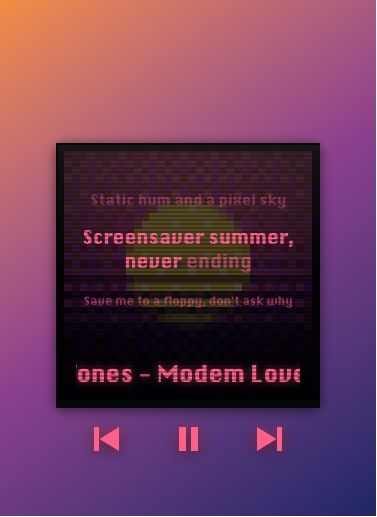
Almost every in-game music overlay is Spotify-only. aux works with Apple Music too: on Mac and Windows it floats over your game, shows the song and cover from the Apple Music app, and lets you skip, pause, play your playlists and see synced lyrics, with no sign-in.
Why Apple Music users had no overlay
Xbox Game Bar's music widget is Spotify's. Overwolf's music add-ons use Spotify's web API. Spotify's Miniplayer is, of course, Spotify's. If your library lives in Apple Music, the options were the macOS menu bar, the Windows volume flyout, or alt-tabbing.
How aux works with Apple Music
- On Mac, aux talks to the Music app directly: the song, cover and position, play, pause, skip and volume, and your playlists in the Hub (yours and the ones you've saved), playable without bringing Music to the front.
- On Windows, aux follows the Apple Music app from the Microsoft Store through Windows' media controls, and looks up the cover in Apple's catalog when Windows doesn't provide one.
- Automatic: with both Spotify and Apple Music installed, aux follows whichever you last pressed play in, or you can stick it to one in Settings.
- Lyrics, visualizers, rave mode and pets all work with Apple Music.
What's Spotify-only
Listening along with friends needs both of you on the same service, and aux's shared queues and in-Hub song search are built on Spotify's desktop app. Everything else, from the overlay to lyrics and trophies for the genres you listen to, works the same on Apple Music.
Questions
Is there an Apple Music overlay for gaming?
Yes, aux. It shows and controls Apple Music over games on Mac (macOS 13 or later) and Windows 10 and 11.
Do I need to sign in to Apple Music in aux?
No. aux reads the Apple Music app already running on your computer.
Does it show Apple Music lyrics?
aux shows synced lyrics from LRCLIB, an open lyrics library, for whatever is playing.
Your next match needs a soundtrack.
aux is free for Mac during the beta, with Windows in testing. Leave your email and we'll tell you the moment it opens.