 aux
A music overlay for PC games
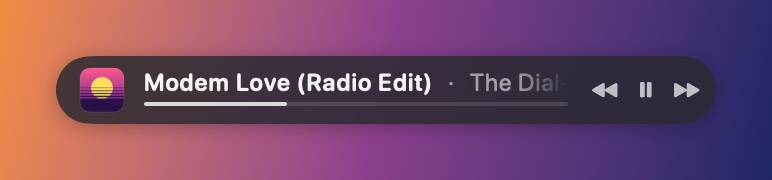
aux for Windows is a free music overlay for PC games on Windows 10 and 11: it floats over whatever you play and shows your Spotify or Apple Music song, so you can skip, see synced lyrics and listen along with friends without alt-tabbing. It's one small native app, it never injects into games, and you don't need Xbox Game Bar or Overwolf.
Built for gaming PCs first
aux for Windows was written from scratch in Rust with Windows' own drawing and compositing (Direct2D and DirectComposition), not a web view or Electron. That's what lets it sit next to a game without being noticed. Its budgets, measured on every build:
| Measure | Budget |
|---|---|
| Game FPS, aux on vs. off | Within noise (under 1%) |
| CPU while music plays | Under 0.5% |
| Memory, overlay showing | Under 30 MB |
| GPU when nothing moves | Nothing |
| Install | One small exe, no runtime |
It runs at below-normal priority, draws only when something changes, and listens to audio only while a visualizer shows.
It never touches your game
No DLL injection, no DirectX hooks, no reading game memory. aux is a separate window drawn on top of the game. Shortcuts use Windows' standard hotkeys. The one exception: while you have aux's Hub open over a game, aux keeps your mouse clicks from reaching the game so you don't shoot while picking a song; that stops the moment the Hub closes.
What you get
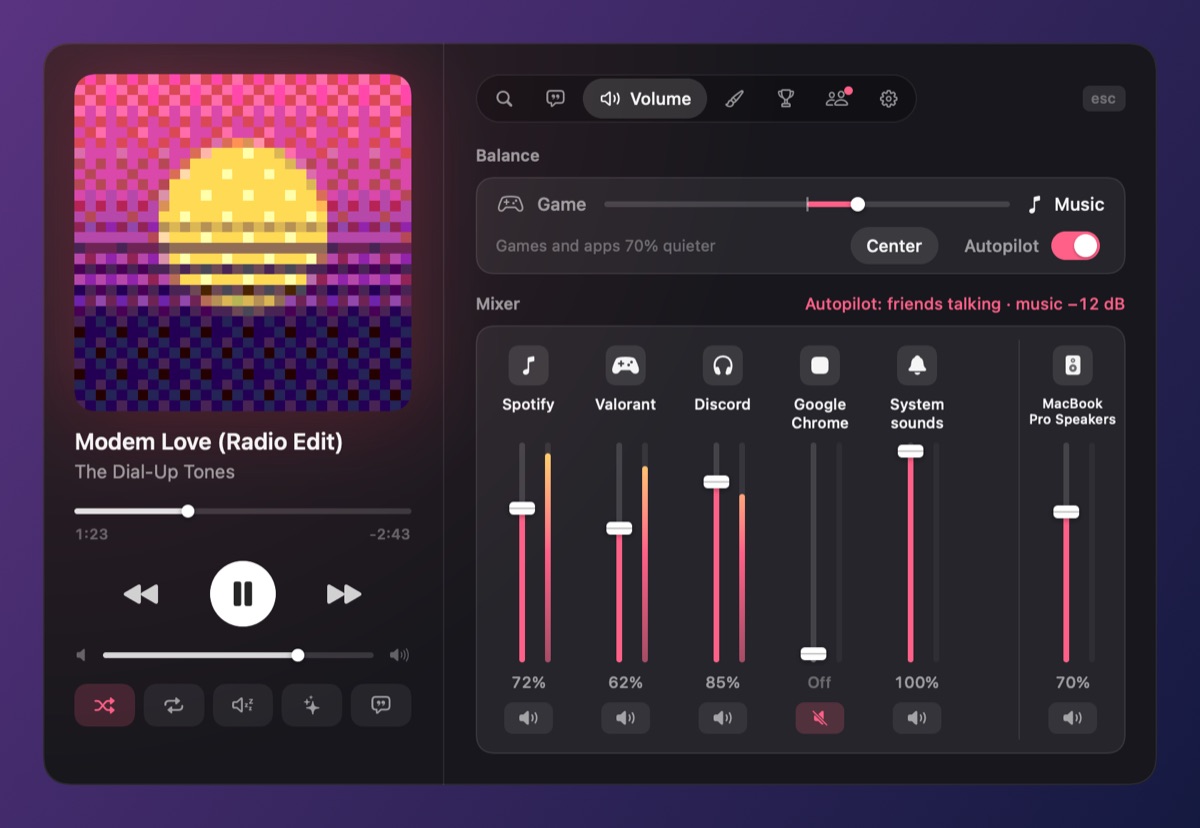
- Spotify or Apple Music, followed through Windows' media controls. No login, and skip and pause work on free Spotify accounts.
- Shortcuts: Ctrl+Alt+A opens the Hub over the game, Ctrl+Alt+N toggles mini mode. Rebind any of them.
- Search and play songs, albums and playlists from the Hub without Spotify coming to the front.
- A mixer: game ↔ music on one slider, every app's level, and Autopilot, which dips the music while friends talk on Discord.
- Controllers: Xbox pads, and PlayStation pads over USB or Bluetooth, including the touchpad as the album and rumble.
- Friends on Mac and PC, listening along in sync.
Fullscreen, borderless and windowed
aux shows over borderless fullscreen and windowed games and goes into mini mode by itself when one is in front. Exclusive fullscreen is the hardest case for any Windows overlay, Game Bar included, because the game takes the screen for itself. aux's installer gives it the permission Windows requires to draw over it, but if a game still hides it, switch the game to borderless (often called "Fullscreen Windowed"). Step-by-step fix.
Questions
Do I need Xbox Game Bar or Overwolf?
No. aux is its own app. You can leave Game Bar off entirely. How it compares to Game Bar.
Which Windows versions does aux support?
Windows 10 and Windows 11, 64-bit.
Will anti-cheat flag it?
aux doesn't load anything into games or hook their graphics; it's a separate window, like a chat app's notification. A mouse hook runs only while the Hub is open over a game, and never while you play.
Does it work with Apple Music on Windows?
Yes, with the Apple Music app from the Microsoft Store. aux follows whichever of Spotify or Apple Music you last pressed play in.
Is it free?
Yes. Optional worlds are $2.99 each and are yours on Mac and PC.
Your next match needs a soundtrack.
aux is free for Mac during the beta, with Windows in testing. Leave your email and we'll tell you the moment it opens.