 aux
A Spotify overlay for your games
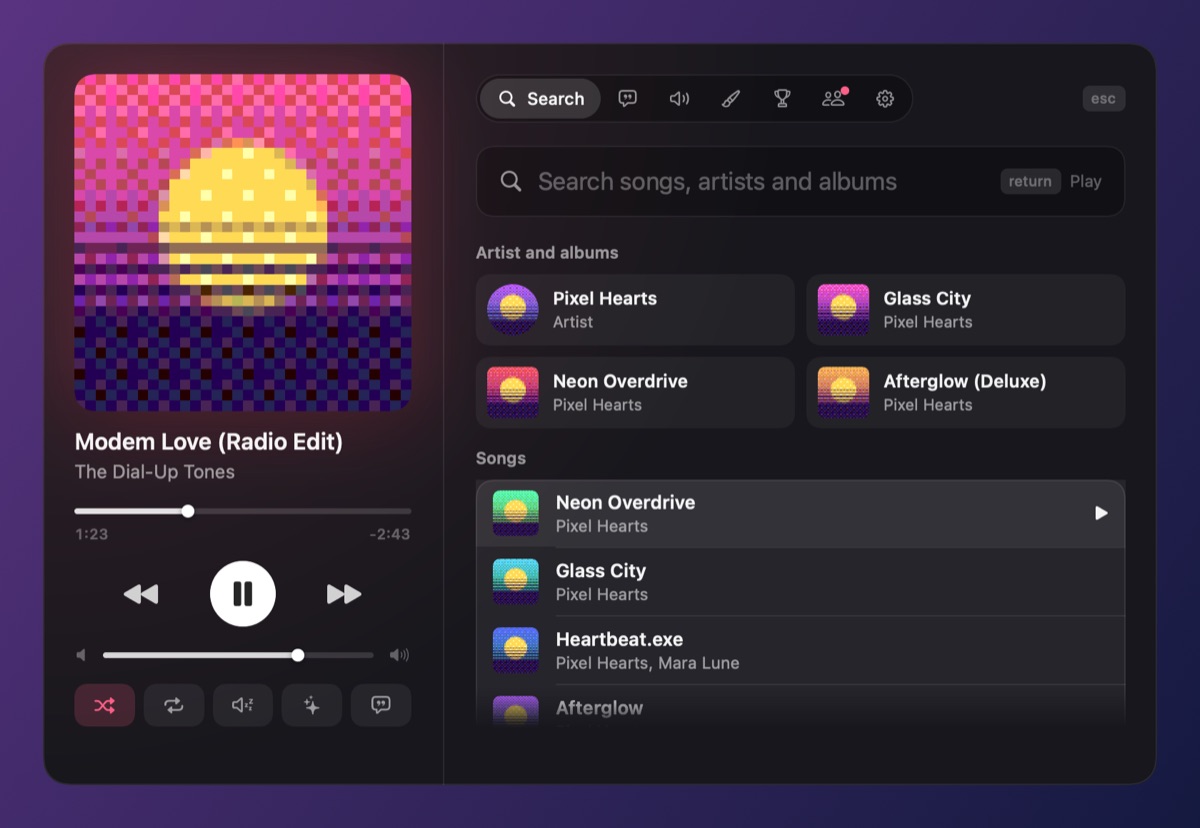
Spotify doesn't come with an in-game overlay of its own. On Windows you can add its widget to Xbox Game Bar, and on Mac there's nothing built in. aux is a Spotify overlay for both: it floats over your game, shows the song and cover from the Spotify app you already have, and lets you skip, pause, search and change the volume without alt-tabbing. Free accounts work too.
Three ways to get Spotify over a game
1. aux (Mac and Windows)
Install aux and press play in Spotify. The song shows in a corner of the screen over any game, shrinking to a slim pill mid-match. Ctrl+Alt+A (⌃⌥A on Mac) opens the Hub over the game: search, your playlists, the queue, lyrics and volume. It talks to the Spotify app on your computer, not Spotify's web API, so there's nothing to sign in to and no Premium requirement for controls.
2. Xbox Game Bar (Windows only)
Press Win+G, open the widget menu, choose Spotify, link it, and pin it so it stays after Game Bar closes. It's a small remote with the cover and controls. aux vs. Game Bar.
3. Overwolf add-ons (Windows only)
Musme and similar Overwolf apps show Spotify in supported games. They use Spotify's web API, so play, pause and skip need Premium. aux vs. Overwolf.
What aux adds for Spotify users
- Your library: playlists, albums and artists in the Hub; a heart to save the song; + to add it to one of your playlists.
- Listen along: jump into a friend's Spotify song in sync, follow them onto the next one, or host a shared queue friends can add to. Works between Mac and PC. How it works.
- Synced lyrics for the playing song. How it works.
- Spotify's own volume, set from aux's title, the Hub, the mouse wheel on the mini pill, or a controller.
- Rave mode reads the song's tempo and lights the player up on the beat.
- Discord status with the song and a "Play on Spotify" button for friends.
Does Spotify allow this?
aux controls the Spotify app the way your keyboard's media keys and Windows' own media controls do, plus the command-line tool Spotify ships with its desktop app. It doesn't download, record or re-stream music; the music still plays in Spotify. aux is independent and isn't made or endorsed by Spotify.
Questions
Does Spotify have an in-game overlay?
Not of its own. On Windows, Spotify has a widget for Xbox Game Bar. Its desktop Miniplayer floats over other windows but is Premium only and is usually hidden by fullscreen games. aux is a separate app that adds a full overlay on Windows and Mac.
Do I need Spotify Premium for aux?
No. Showing the song, skip, back, pause and volume work with free accounts. Listening along needs you and your friend both on Spotify.
Why isn't my Spotify overlay showing in fullscreen?
Usually because the game uses exclusive fullscreen, which hides other windows. Switch the game to borderless. Full fix.
Can I control Spotify with a controller while gaming?
With aux, yes: Options or Menu plus the D-pad changes the volume and skips, and on a PlayStation pad the touchpad works like the album: swipe to skip.
Your next match needs a soundtrack.
aux is free for Mac during the beta, with Windows in testing. Leave your email and we'll tell you the moment it opens.