 aux
A music overlay for Mac games
On a Mac there's no Xbox Game Bar and no Overwolf, so until now there was no real way to see your music over a game. aux is a free music overlay for Mac (macOS 13 or later): it floats over fullscreen games and shows your Spotify, Apple Music or SoundCloud song, so you can skip, see synced lyrics and listen along with friends without leaving the game.

Why Mac gamers had nothing
Spotify's in-game overlay on Windows comes through Xbox Game Bar, and Overwolf's music add-ons only run on Windows. On a Mac, a fullscreen game gets its own Space, so even Spotify's Miniplayer and "always on top" tricks disappear behind it. The usual answer was a menu bar song title, or swiping out of the game to a desktop. aux is made for the Mac first: the Mac app is the version the Windows one copies.
What aux does on a Mac
- Floats over fullscreen games, from Steam or native, and goes into mini mode by itself when a fullscreen game comes in front.
- Follows Spotify, Apple Music or SoundCloud (SoundCloud in a Chrome, Brave, Edge, Vivaldi or Safari tab), whichever you last pressed play in. No sign-in.
- Keyboard shortcuts that work mid-game: ⌃⌥A opens the Hub, ⌃⌥N mini mode, ⌃⌥V the visualizer, ⌃⌥K lyric mode. Change any of them in Settings.
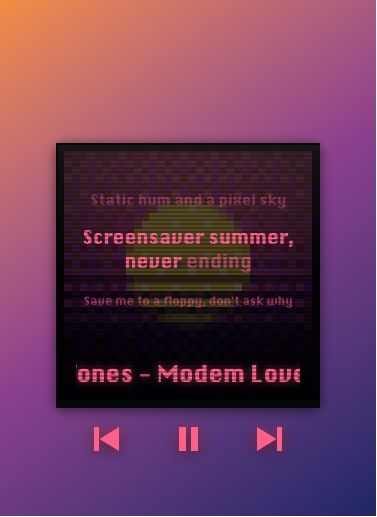
- Synced lyrics in the Hub, or big on the cover in lyric mode.
- A volume mixer for the Mac, which doesn't have one: the game and the music on one slider, and every app's level (macOS 14.2 or later). Autopilot lowers the music while friends talk on Discord.
- Controllers: PlayStation and Xbox pads; on a PlayStation pad the touchpad is the album, swipe to skip.
- Friends: listen along in sync and share a queue, with friends on Mac or PC.
Light enough to leave on
aux is a native Mac app (Swift, no Electron), a universal binary for Apple silicon and Intel. The plain overlay uses about 3% of a CPU core; visualizers stop in mini mode, and the audio they read is analyzed live and never recorded. It never touches the game itself.
Setting it up
- Open aux. A short welcome asks which music app you use and hatches your first pet.
- Allow it to control your music app (so the buttons work) and, for the visualizers, to read system audio. macOS asks once for each.
- Drag the player where you want it. Start a game: aux shrinks to mini mode when the game goes fullscreen.
Questions
Is there a Spotify overlay for Mac?
Spotify's own in-game overlay is Windows only, through Xbox Game Bar. aux is a Spotify overlay for Mac: it floats over fullscreen Mac games and shows and controls the Spotify app, no Premium needed for skip and pause.
Which macOS does aux need?
macOS 13 Ventura or later. Live visualizers and the per-app volume mixer need macOS 14.2 or later.
Does it work with Apple Music on Mac?
Yes, with your library and playlists, and with no sign-in. More on Apple Music.
Will it slow my Mac games down?
It's built not to: it draws only when something changes, uses about 3% CPU for the plain overlay, and switches to mini mode, with no visualizer, over fullscreen games.
Will macOS warn me when I open it?
During the beta aux isn't notarized yet, so macOS asks you once to confirm in System Settings › Privacy & Security ("Open Anyway"). After that it opens normally.
Your next match needs a soundtrack.
aux is free for Mac during the beta, with Windows in testing. Leave your email and we'll tell you the moment it opens.