 aux
The music overlay for games
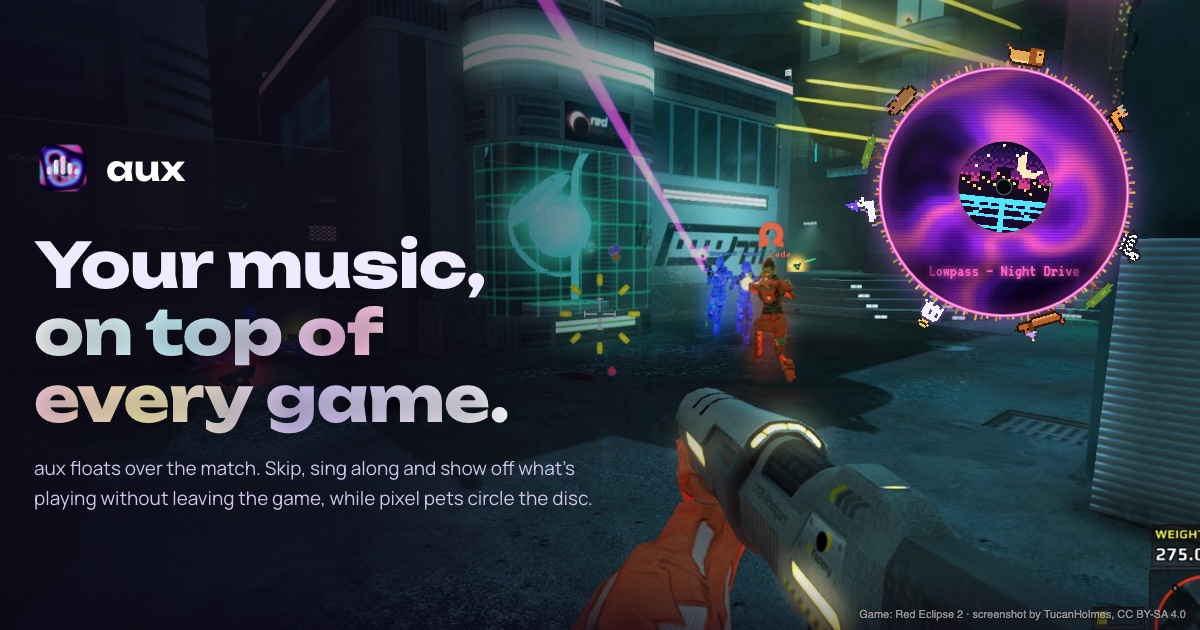
A music overlay is a small player that floats on top of your game and shows what's playing in Spotify or Apple Music, with play, pause and skip, so you never have to alt-tab out of a match. aux is a free music overlay for Mac and Windows games: it floats over whatever you play and shows your song, so you can skip, see synced lyrics and listen along with friends without leaving the game.
Why gamers use a music overlay
Most people play with music on. The trouble is getting to it: alt-tabbing out of a fullscreen game can minimize it, drop your frame rate for a moment, or get you killed mid-round. Media keys skip blind, without telling you what came on. A music overlay fixes both: the song is always in view, and the controls are a shortcut or a click away while the game keeps running.
- See the song without leaving the game. Title, artist and cover in a corner you choose.
- Control it in place. Skip, go back, pause and change the volume with keys, a click or a controller.
- Stay out of the way. A good overlay shrinks during a match, lets your clicks through to the game, and uses so little of your computer you can't measure it.
What to look for
It has to show over fullscreen games
A normal "always on top" window, Spotify's own miniplayer included, usually disappears when a game goes fullscreen. A real overlay is built to stay visible over fullscreen and borderless games. On Windows, exclusive fullscreen is the hardest case; see why overlays vanish in fullscreen and how to fix it.
It shouldn't touch the game
Some overlays work by loading code into the game or hooking its graphics. That can cost frames and worries anti-cheat. aux never does either: it's a separate window drawn on top, the way a chat notification is.
It should be light
An overlay runs for hours next to a game that wants every frame. aux's Windows version is native code with no runtime, built to stay under 30 MB of memory and half a percent of CPU while playing. Over a match it switches to mini mode, a slim pill with no visualizer and no audio analysis.
It should work with your music app, without a login
Many overlays ask you to sign in to Spotify through its web API, and Spotify only allows playback control there for Premium accounts. aux talks to the Spotify or Apple Music app already running on your computer, so there's nothing to sign in to.

Your options, briefly
| Option | Platforms | Music apps | Stays on screen |
|---|---|---|---|
| aux | Mac, Windows | Spotify, Apple Music | Yes, with mini mode for matches |
| Xbox Game Bar's Spotify widget | Windows | Spotify | Only if you pin it |
| Steam overlay | Windows, Mac, Linux | No Spotify control built in | Only while you hold it open |
| Musme (Overwolf) | Windows | Spotify (controls need Premium) | In Overwolf-supported games |
| Spotify's miniplayer | Mac, Windows | Spotify (Premium) | Usually hidden by fullscreen games |
The full side-by-side, with prices and what each one can't do, is in the best music overlays for gaming.
What aux adds on top
- Synced lyrics, in the Hub or right on the cover in lyric mode. How it works.
- Listen along with friends: jump into a friend's song in sync, or share a queue, Mac and PC together. How it works.
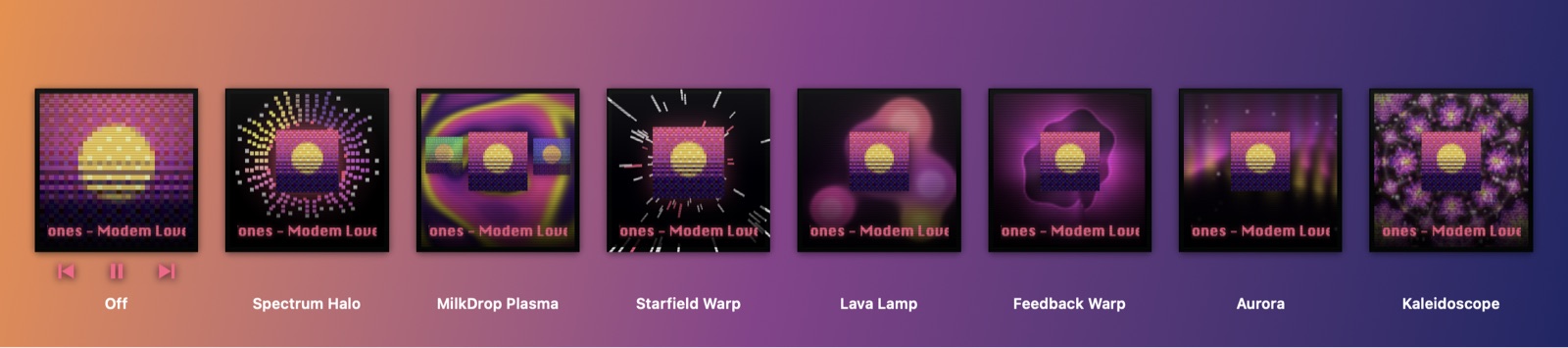
- Visualizers that move to what's playing, and rave mode, which finds the drop.
- Controller controls: on a PlayStation pad the touchpad is the album; swipe to skip.
- Pixel pets that walk the player and ride the mini pill. Six are free.
- Discord status: "Listening to aux", with the song and a button to play it.
Getting it
aux is in testing on Mac and Windows and free during the beta. Pick your platform for the details: aux for Mac (macOS 13 or later) or aux for Windows (Windows 10 and 11). Optional worlds, each with two pets, scenery and a player theme, are $2.99 once; there's nothing random to buy.
Questions
What is a music overlay?
A small music player that floats on top of a game or other fullscreen app and shows the song that's playing, with controls, so you don't have to switch windows to see or change it.
Is a music overlay the same as a stream overlay?
No. A stream "now playing" overlay is a graphic your viewers see in OBS or Streamlabs. A music overlay is for you: it shows on your own screen, over your game, with controls.
Does a music overlay lower FPS?
A well-built one doesn't measurably. aux draws nothing while nothing changes, runs at low priority, and never hooks into the game's graphics. Its Windows budget is game FPS within noise with aux on or off.
Is aux free?
Yes. The whole overlay and six pets are free. Worlds are optional, $2.99 each, owned for good on Mac and PC.
Does aux work with Apple Music?
Yes, on Mac and Windows, with no sign-in. It follows whichever app you last pressed play in. More on Apple Music.
Your next match needs a soundtrack.
aux is free for Mac during the beta, with Windows in testing. Leave your email and we'll tell you the moment it opens.