 aux
Listen to music with friends while you game
With aux, you and your squad add each other's friend codes, and from then on you can see what everyone's playing and listen along: jump into a friend's Spotify song at the same moment they're hearing it, and follow them onto the next one. Or start a queue that friends join, add to and skip. It works between Mac and PC, over your games.
Set it up
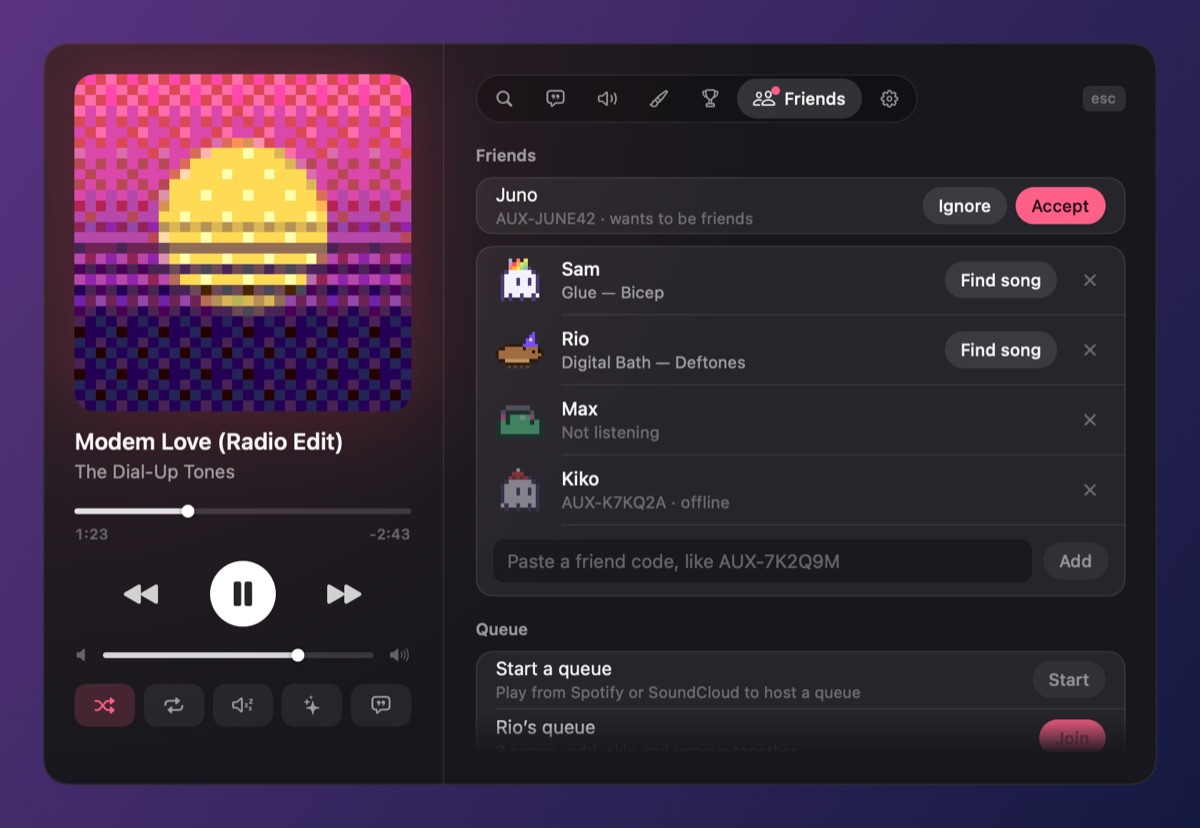
- Open the Hub (Ctrl+Alt+A, ⌃⌥A on Mac) and go to Friends. Your code looks like
AUX-7K2Q9M; copy it and send it to a friend. - Paste theirs into "Paste a friend code" and press Add. They see a request and accept it.
- Now their pet visits your player with a nametag showing their song, and they show up in your Friends tab.
Listen along
Press Listen along on a friend (or double-click their pet). aux starts their song in your Spotify at their spot, keeps you within a second or so of them, and lines up their next song in your queue so you roll into it together. If they pause, you pause; if they skip, you follow. Stop whenever you like and aux takes you back to your own song where you left it.
Start a queue
Host a queue from the top of the Friends tab and it plays on your Spotify. Friends who join listen along and can add and remove songs and skip. Skips count once per song, so nobody can spam them.
Compared with Spotify Jam and Discord
- Spotify Jam is Spotify's own shared session. Joining one means opening a link in Spotify, and it lives in the Spotify app, not over your game.
- Discord's "Listen Along" needs Spotify Premium and happens inside Discord. aux works over the game you're already in, and between Mac and PC.
aux also sets your Discord status to the song, with a "Play on Spotify" button, so friends who don't have aux yet can still hear what you're on.
Questions
Can Mac and PC friends listen together?
Yes. aux on Mac and aux on Windows share one friends list and listen along with each other.
Do we all need Spotify?
Listening along needs you both on Spotify (two SoundCloud friends on Mac can listen along too). Seeing what friends play works with Apple Music as well.
Can I keep what I'm playing private?
Yes: turn off sharing in the Friends tab and friends won't see your song.
Your next match needs a soundtrack.
aux is free for Mac during the beta, with Windows in testing. Leave your email and we'll tell you the moment it opens.