 aux
Synced lyrics while you game
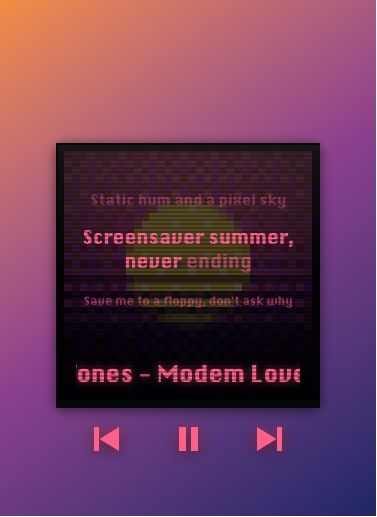
To see lyrics over a game without alt-tabbing, you need a lyrics overlay. aux shows time-synced lyrics for whatever's playing in Spotify or Apple Music, on Mac and Windows: big and word by word on the player in lyric mode, or as a scrolling page in the Hub. Turn lyric mode on with Ctrl+Alt+K (⌃⌥K on Mac).
Two ways to read along
Lyric mode, on the player
The cover turns into the lyrics: the line before, the line being sung and the next line, with the sung line's words lighting up at singing pace. The song title stays underneath. It works on the square player and the disc, and with visualizers and rave mode.
The Lyrics tab, in the Hub
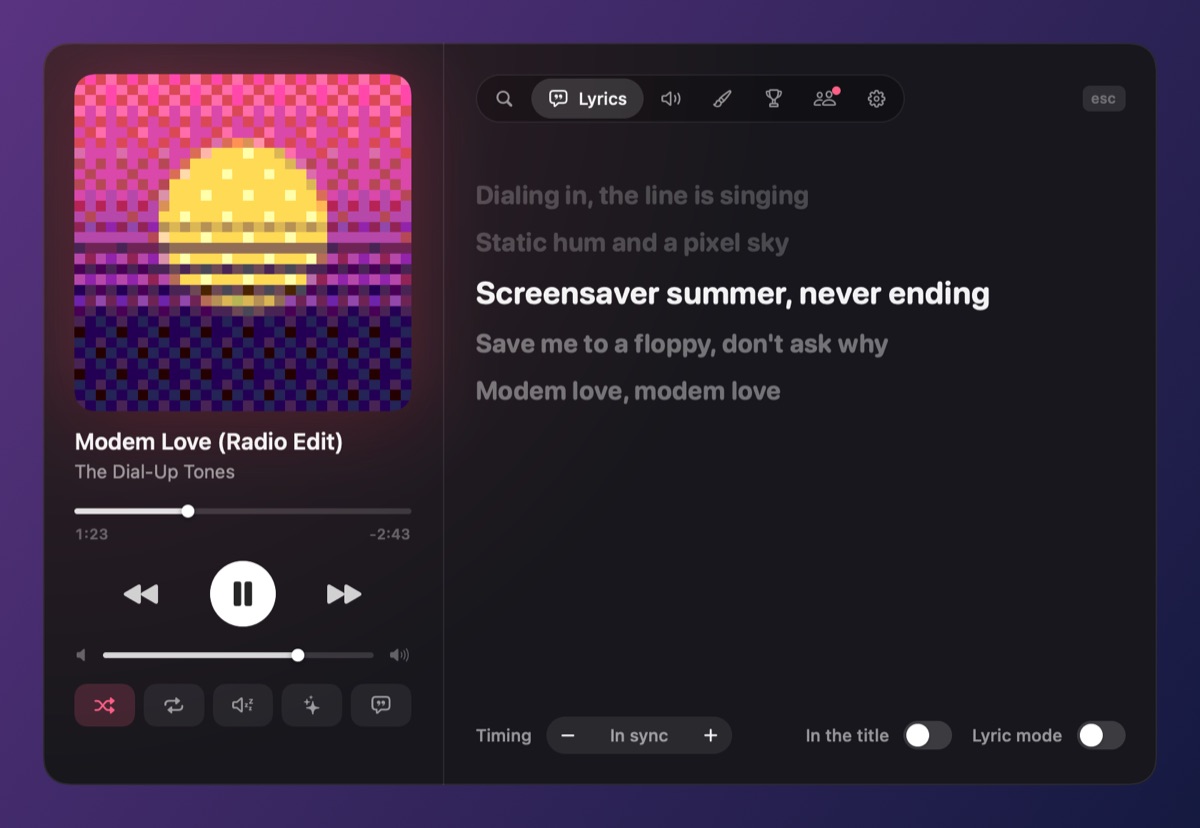
Open the Hub (Ctrl+Alt+A, ⌃⌥A on Mac) and pick Lyrics: the whole song, the sung line kept in the middle. Handy between rounds.
Where the lyrics come from
aux looks songs up by title and artist in LRCLIB, a free, open library of time-synced lyrics. Popular songs are nearly always there; for very new or underground tracks, aux says "No lyrics for this song" and goes back to the cover after a few seconds. Nothing about your listening is sent anywhere else.
Doesn't Spotify already have lyrics?
It does, inside the Spotify app, which means leaving your game to see them. aux brings synced lyrics over the game, and works the same for Apple Music.
Questions
Is there a lyrics overlay for games?
Yes. aux shows synced lyrics over games on Mac and Windows, for Spotify and Apple Music. Lyric Overlay is another app that only does lyrics.
Does lyric mode use more CPU?
Barely. It redraws only when a line or word changes, a few times a second at most.
Can I turn lyrics on from a controller?
Open the Hub from the controller (three clicks of Options or Menu opens Settings), then move to the Lyrics tab with L1 and R1.
Your next match needs a soundtrack.
aux is free for Mac during the beta, with Windows in testing. Leave your email and we'll tell you the moment it opens.